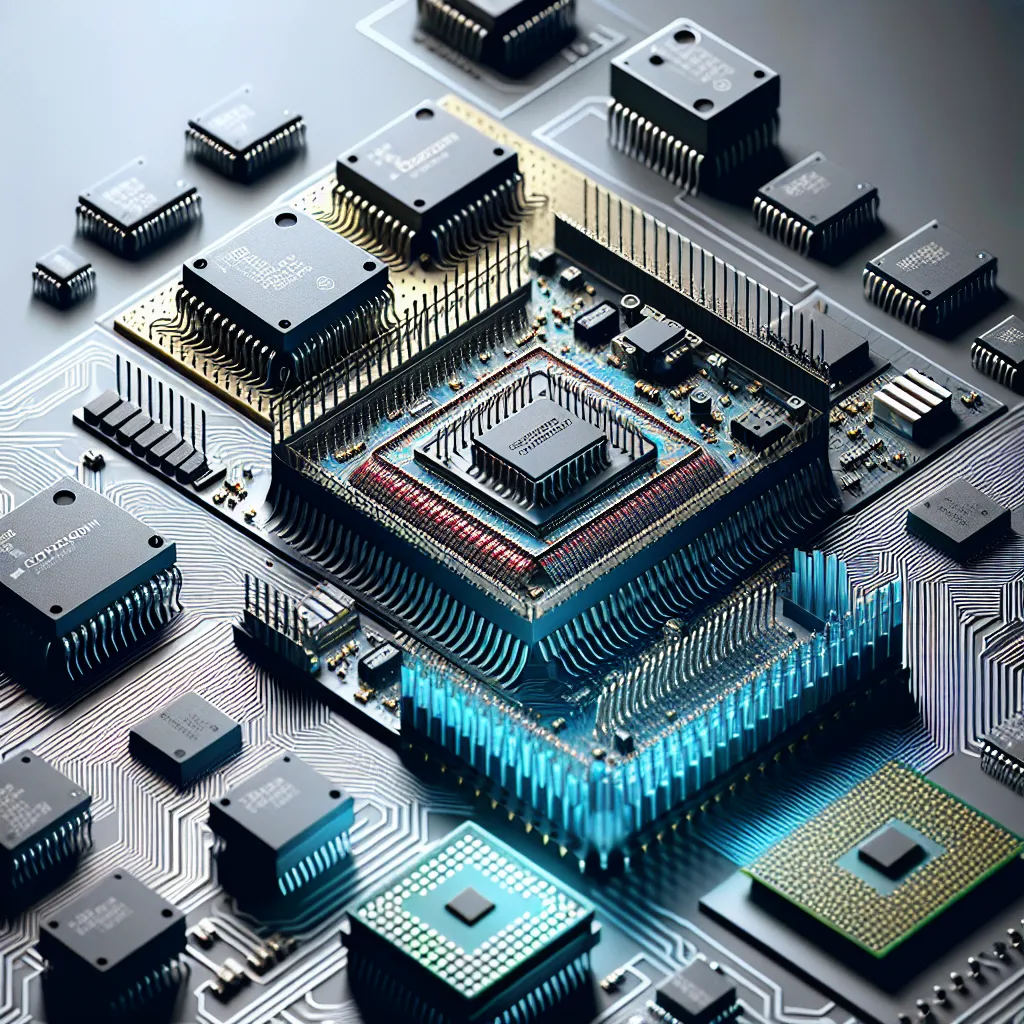
A decade ago, IT teams managed servers, workstations, printers, and networking gear. The device inventory was finite and well-understood. Today, a typical mid-size office building contains hundreds of embedded devices that connect to the corporate network: smart thermostats, access control panels, IP cameras, conference room displays, environmental sensors, badge readers, elevator controllers, and smart lighting systems. Each one runs a microcontroller with firmware, has a network stack, and represents a potential entry point for attackers. Most IT teams did not sign up to manage embedded systems - but embedded systems showed up on their networks anyway, and ignoring them is no longer an option.
Microcontrollers vs. Microprocessors: The Basics IT Teams Need
Understanding the distinction between microcontrollers and microprocessors is not just academic trivia. It directly affects how you manage, secure, and troubleshoot the devices on your network.
What Is a Microcontroller (MCU)?
A microcontroller is a self-contained computer on a single chip. It integrates a processor, RAM, flash memory (for program storage), and I/O peripherals - everything needed to run a dedicated application. Microcontrollers are designed for specific, repetitive tasks: reading a temperature sensor every 30 seconds, controlling an HVAC damper, processing badge swipes at a door reader.
Common microcontrollers in enterprise IoT devices include:
- ESP32 (Espressif): Wi-Fi and Bluetooth-capable, found in smart plugs, environmental sensors, and low-cost IoT devices. Costs about $3 per unit.
- STM32 (STMicroelectronics): ARM Cortex-M based, widely used in industrial sensors, building automation controllers, and medical devices.
- nRF52 (Nordic Semiconductor): Bluetooth Low Energy focused, used in asset trackers, wearables, and proximity beacons.
- ATmega/AVR (Microchip): The Arduino family. Found in hobbyist projects but also in some commercial building automation products.
These chips run firmware - compiled code stored in flash memory - not a full operating system. There is no Windows, no Linux (usually), no user interface in the traditional sense. The firmware is written, flashed to the chip, and runs in a loop until the device is powered off or updated.
What Is a Microprocessor (MPU)?
A microprocessor is just a CPU - it needs external RAM, storage, and peripherals to function. Your laptop, phone, and servers all run microprocessors (Intel Core, AMD Ryzen, Apple M-series, ARM Cortex-A). These chips are designed for general-purpose computing: running operating systems, executing diverse applications, and handling complex multi-threaded workloads.
Some higher-end IoT devices blur the line. A Raspberry Pi runs a microprocessor (ARM Cortex-A series) with a full Linux operating system, but it is often deployed in IoT roles - as a digital signage controller, a network monitoring probe, or a protocol gateway. These devices are easier for IT teams to manage because they run familiar operating systems with standard patching and management tools.
Why the Distinction Matters for IT
The management model is fundamentally different:
| Aspect | Microcontroller Devices | Microprocessor Devices |
|---|---|---|
| OS | No OS or bare-metal RTOS | Linux, Windows, etc. |
| Updates | Firmware flashing (often manual) | Standard OS patching |
| Remote management | Limited or vendor-specific | SSH, RDP, MDM agents |
| Monitoring | SNMP if you are lucky | Standard monitoring agents |
| Authentication | Hard-coded credentials common | AD/LDAP integration possible |
| Encryption | May lack TLS support | Full TLS/SSH support |
Microcontroller-based devices are harder to manage with traditional IT tools because they were not designed with IT management in mind. They were designed by engineers who needed a thermostat to control temperature, not by people thinking about Active Directory integration or certificate management.
How IoT Devices Affect Enterprise Network Security
Every networked device is an attack surface. IoT devices are particularly problematic because they combine network connectivity with weak security controls, long deployment lifespans, and infrequent updates.
The Mirai Botnet Lesson
In October 2016, the Mirai botnet commandeered approximately 600,000 IoT devices - primarily IP cameras and DVRs running default credentials - and launched a DDoS attack against DNS provider Dyn, taking down Twitter, Netflix, Reddit, and dozens of other major services. The devices were not “hacked” in any sophisticated sense. Mirai simply scanned the internet for devices with factory-default usernames and passwords (admin/admin, root/root, admin/password) and logged in.
The Mirai source code is public. Variants continue to operate. And the fundamental problem - IoT devices shipped with default credentials that users never change - remains widespread.
Common IoT Security Weaknesses
Hard-coded or default credentials: Many IoT devices ship with credentials that cannot be changed, or that users do not change because there is no intuitive interface for doing so. A smart camera with admin/admin is effectively an open door to your network.
Unencrypted communications: Cheaper IoT devices communicate over HTTP, MQTT without TLS, or proprietary protocols with no encryption. An attacker on the same network segment can sniff credentials, sensor data, or control commands in plaintext.
Outdated firmware with known vulnerabilities: IoT manufacturers have inconsistent track records on security patches. Some stop issuing firmware updates within two years of product launch. A building access controller installed in 2019 running 2020 firmware with known CVEs is a liability that traditional vulnerability scanners may not even detect.
Lack of network segmentation awareness: IoT devices often need to reach cloud services for management, receive commands from building management systems, and sometimes communicate with each other. Without proper network design, these communication patterns create lateral movement opportunities.
Real Attack Scenarios
A 2017 breach at a North American casino was traced to a smart fish tank thermometer connected to the corporate network. Attackers compromised the thermometer, used it as a pivot point, and exfiltrated 10 gigabytes of data from the casino’s high-roller database. The thermometer was on the same network segment as the casino’s internal systems because no one had thought to segment it.
In enterprise environments, compromised IoT devices have been used for:
- Network reconnaissance: Scanning internal subnets from a trusted device that does not trigger IDS alerts.
- Credential harvesting: Sniffing network traffic from a compromised device on a shared VLAN.
- Persistent access: Using an IoT device as a backdoor that survives endpoint remediation efforts because no one thinks to check the HVAC controller.
- Data exfiltration: Tunneling data out through a device that has unrestricted outbound internet access for cloud telemetry.
Firmware Updates: The IT Challenge No One Trained For
Firmware management is where the gap between IT operations and embedded systems becomes most painful. Traditional IT has mature processes for OS and application patching - WSUS, SCCM, Intune, Ansible, JAMF. None of these tools manage firmware on microcontroller-based devices.
The Firmware Update Problem
Firmware updates for IoT devices typically involve:
- Downloading a binary file from the manufacturer’s website.
- Connecting to the device’s web interface (if it has one) or using a vendor-specific management tool.
- Uploading the firmware file and waiting for the device to reflash itself.
- Hoping the device comes back online with its configuration intact.
There is rarely a centralized management console. Each manufacturer has their own process. Some devices require physical access to update - a USB cable, a JTAG connection, or pressing a hardware reset button. For a building with 200 IoT devices from 15 different manufacturers, firmware management is a manual, device-by-device effort.
Over-the-Air (OTA) Updates
Higher-quality IoT platforms support OTA firmware updates, where devices check a cloud server for new firmware and download updates automatically or on a schedule. This is standard practice for consumer devices (your smart speaker updates itself overnight) and increasingly available for enterprise IoT.
If you are evaluating IoT devices for enterprise deployment, OTA update capability should be a hard requirement. Devices that require manual firmware updates will not get updated - it is that simple. The labor cost of physically touching 200 devices for a firmware update ensures that most organizations will defer updates indefinitely, accumulating security debt.
Secure Boot and Firmware Integrity
Better embedded platforms implement secure boot, where the microcontroller verifies the cryptographic signature of firmware before executing it. This prevents attackers from installing modified firmware even if they gain physical or network access to the device. Look for devices that support:
- Code signing: Firmware updates signed by the manufacturer’s private key, verified by the device before installation.
- Secure boot chain: Each stage of the boot process validates the next, from bootloader to application code.
- Firmware rollback protection: Prevents attackers from downgrading to an older, vulnerable firmware version.
Building an IoT Management Strategy
IT teams that proactively manage IoT devices rather than pretending they do not exist end up with significantly better security outcomes. Here is a practical framework.
Network Segmentation
Put IoT devices on their own VLANs, isolated from the corporate network. A common architecture:
- IoT VLAN: All smart building devices, sensors, and controllers. Firewall rules restrict traffic to only the necessary communication paths (device to cloud management platform, device to building management system).
- Corporate VLAN: Workstations, servers, and traditional IT infrastructure.
- Guest VLAN: Visitor Wi-Fi, completely isolated.
The firewall between the IoT and corporate VLANs should deny all traffic by default and allow only specific, documented flows. If the smart thermostat needs to reach its cloud management platform on port 443, allow exactly that - not “any” outbound traffic.
Device Inventory and Monitoring
You cannot secure what you cannot see. Maintain a complete inventory of every IoT device on your network, including:
- Device type, manufacturer, and model
- Firmware version currently running
- Network segment and IP address
- Communication patterns (what does it talk to, and on what ports?)
- Last firmware update date
- End-of-support date from the manufacturer
Network discovery tools like Nmap, Forescout, and Armis can identify IoT devices on your network, classify them, and monitor their behavior. Armis and Forescout are specifically designed for IoT/OT visibility and can identify devices by their network behavior even when traditional scanning methods fail.
Procurement Standards
Establish minimum security requirements for any IoT device before it connects to your network:
- Must support OTA firmware updates
- Must support TLS for all network communications
- Must not use hard-coded credentials
- Must support unique per-device credentials
- Manufacturer must publish a vulnerability disclosure policy
- Manufacturer must provide a defined support lifecycle (minimum 5 years)
Rejecting devices that do not meet these standards is easier than remediating them after deployment.
The Convergence of IT and Operational Technology
The line between IT and operational technology (OT) is disappearing. Building management systems, industrial controls, and physical security systems - all traditionally managed by facilities teams or specialized vendors - now sit on IP networks that IT is responsible for securing. IT professionals who understand embedded systems, firmware management, and IoT security are increasingly valuable because they can bridge the gap between the facilities team that selected a building automation system and the security team that needs to ensure it does not become an attack vector.
This convergence is not slowing down. Gartner estimated that the number of enterprise IoT endpoints would exceed 15 billion by 2025, and that growth continues. Every one of those endpoints runs firmware on a microcontroller that someone needs to track, update, and secure.
Getting IoT Security Right
If your organization has IoT devices on its network - and it almost certainly does - and you do not have a formal strategy for inventorying, segmenting, and maintaining them, that is a gap worth closing before it becomes an incident. Exodata works with organizations to assess their IoT exposure, design segmented network architectures, and build ongoing management processes for embedded devices. Reach out to our infrastructure team to discuss an IoT security assessment tailored to your environment.